Getting started
Your job runs asynchronously. Respond immediately to the initial HTTP request with 202 Accepted to confirm that you have accepted the job, then process the request in the background. Future Ordering authenticates the call using the credentials you supplied when the job was registered.
For details on the data models your job produces, see Menus and Stores.
Initial request
The initial request contains all the information needed to start your job. Future Ordering sends it as a POST to the endpoint you provided when registering the job through Managing import flows.
{
	"runId": "some-example-run-id",
	"flowId": "some-example-flow-id",
	"jobId": "your-job-id",
	"data": {
		"<entityId>": {
			"references": ["some-reference-name-for-entity"],
			"dataSources": ["datasources-that-contributed-to-model"],
			"route": "https://example-sas-endpoint.com/1/url-route?query-params=true"
		},
		"<otherEntityId>": {
			"references": ["some-other-reference-name"],
			"dataSources": ["some-datasource"],
			"route": "https://example-sas-endpoint.com/2/url-route?query-params=true"
		}
	},
	"timeOut": "00:30:00",
	"configuration": {
		"skipOnStuff": true
	},
	"payload": {
		"countries": [
			"Sweden"
		]
	},
	"reportConfiguration": {
		"progress": "https://api.futureordering.com/orch/reports/progress",
		"complete": "https://api.futureordering.com/orch/reports/complete",
		"error": "https://api.futureordering.com/orch/reports/error",
		"entity": "https://api.futureordering.com/orch/runs/some-example-run-id/jobs/your-job-id/entities/"
	}
}
Properties
| Property | Type | Required | Description |
|---|---|---|---|
runId | string | Yes | The id of this specific run. |
flowId | string | Yes | The id of the flow, meaning the type of import. |
jobId | string | Yes | Your job's id. |
data | object | Yes | The entities available to your job, keyed by entity id. |
data.<entityId> | object | Yes | A single entity. The key is the entity name, such as 212 for a store or priceGroups for menus. |
data.<entityId>.references | array<string> | Yes | External references for the entity. Currently used for stores. |
data.<entityId>.dataSources | array<string> | Yes | The sources that contributed to the entity's metadata. |
data.<entityId>.route | string | Yes | SAS URL for the entity's data. |
timeOut | string | Yes | How long your job has to finish before the run times out, formatted as hh:mm:ss. |
configuration | object | No | Static fields configured when your job was registered. Sent with every call to your job. |
payload | object | No | Run-specific fields set when the run starts. Sent to every job in the run. |
reportConfiguration | object | Yes | The URLs your job reports and uploads to. |
reportConfiguration.progress | string | Yes | URL to send progress reports to. |
reportConfiguration.complete | string | Yes | URL to send complete reports to. |
reportConfiguration.error | string | Yes | URL to send error reports to. |
reportConfiguration.entity | string | Yes | URL to upload entities to. |
If the run exceeds timeOut before your job reports completion, the run fails. See Managing import flows for how failures are surfaced in Navigator.
Configuration and payload
The payload field contains run-specific configuration, set when a run starts. The configuration field contains static configuration, set once when the job is created. The example above uses the country configurator - when starting a run, an operator can specify which countries the import covers.
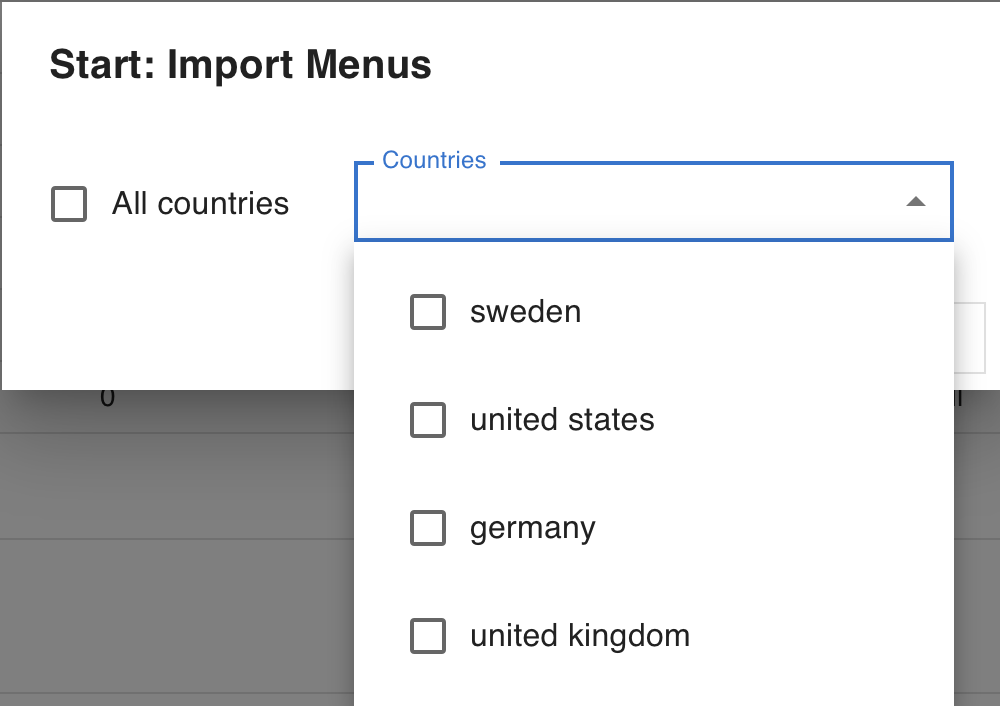
Opening hours example
Next steps
- Uploading data - how to upload entities and get their URLs.
- Reporting progress - sending progress, complete and error reports.